
The Gear Nobody Warns You About: What Students Actually Need in Year One
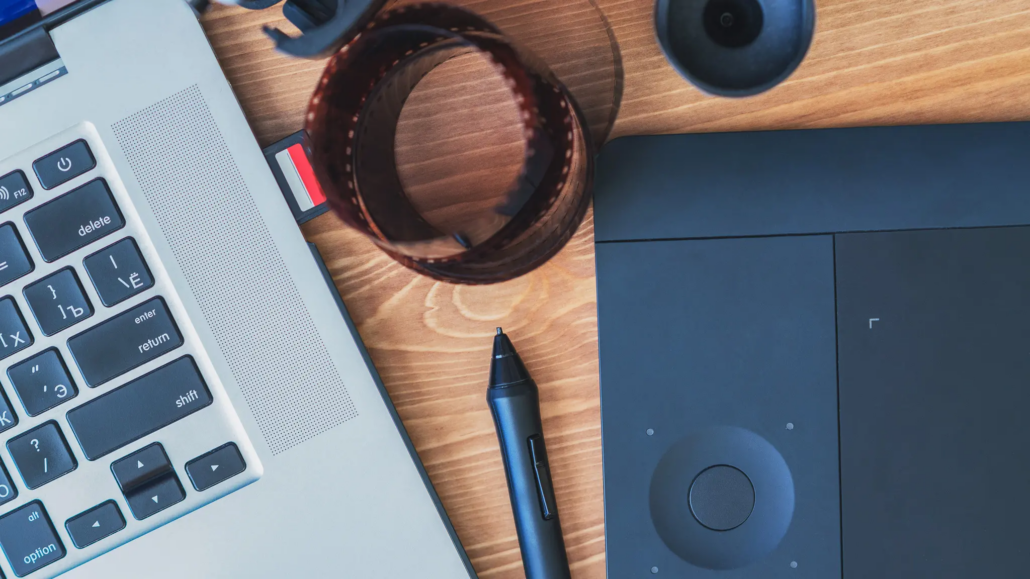
Every new term, a fresh class of students shows up with a gear list a mile long and a credit card ready to prove it. Almost none of that list survives contact with the first semester. Here’s the honest version: what your program already puts in your hands, what’s worth adding in year one, and what should sit in your cart until you’ve earned the reason to buy it.
The Gear Conversation Nobody Has Honestly
Open any “what you need for film school” video and you’ll find the same script: an expensive camera, an expensive monitor, and a sponsored plug for whatever brand is paying the creator’s rent. It’s a sales funnel wearing a backpack, not advice.
Here’s what actually matters: the industry doesn’t care what gear you owned in year one. It cares whether you know how to use it. A checklist built on hype instead of need is how first-years end up broke by October with a hard drive full of footage they don’t know how to cut.
Our one rule before you buy anything: if you can’t say exactly why you need it, not “just in case,” not “everyone in my program has one,” you don’t need it yet.
Your TechKit®: What’s Already Yours
This is the part most gear guides skip. Every LAFS program comes with a TechKit: a set of hardware and software issued to you as part of your enrollment, not something you’re expected to source yourself. What’s in it depends entirely on your program, so the breakdown below is organized by concentration. Kit contents are updated periodically, so treat the categories here as accurate and confirm exact specs with your program director.
Film Production
Your kit covers a laptop, a multi-port docking hub with the adapters to run it, a high-capacity external drive for backups, and a set of studio headphones. On the software side, you’re issued screenwriting software, professional video editing software, a full creative suite, production scheduling and budgeting software, and standard office software.
Campus labs still handle the expensive stuff your kit doesn’t: camera bodies, lenses, lighting and grip packages, and full sound stages, all available through checkout.
What’s actually worth adding yourself: spare memory cards and a couple of extra batteries for shoot days. A cinema camera, matched prime lenses, or a pro-grade capture card is a rental-house problem, not a your-problem, if a project ever needs one.
Animation and Visual Effects
Your kit covers a laptop, a graphics tablet and stylus, a precision mouse, and wireless headphones. Software-wise, you’re issued a full creative suite, 3D animation and modeling software, VFX compositing software, procedural simulation software, a digital sculpting tool, a real-time game engine, and reference and rigging resources.
Labs still cover the render farms and high-powered workstations that make final renders and playback painless, since that’s more horsepower than any laptop needs to carry alone.
What’s actually worth adding yourself: not much. If you outgrow your tablet’s size later in the program, that’s a year-two decision.
Audio Production
Your kit covers a laptop, a docking hub, a condenser microphone with stand and boom, studio headphones, a pop filter and cables, an audio interface, a pair of studio monitors, a MIDI keyboard controller, a high-capacity external drive, and a bag to carry it in. Software-wise, you’re issued a professional recording and mixing platform, ear-training software, a mixing and mastering plugin suite, and vocal timing and alignment tools.
Studios still cover the treated rooms, patch bays, and specialty outboard gear that don’t travel home with you.
What’s actually worth adding yourself: honestly, this kit is the starter setup most audio students spend a year saving for elsewhere. Spend year one learning it before you add anything to it.
Music Production
Your kit covers nearly the same hardware list as audio production: a laptop, docking hub, audio interface, studio monitors, MIDI keyboard controller, condenser microphone, headphones, high-capacity external drive, and a bag. Software-wise, you’re issued two industry-standard recording platforms, ear-training software, a large virtual instrument and sample library, and pitch-correction software.
What’s actually worth adding yourself: nothing, until you know your workflow. The plugin and synth rabbit hole is real, and you already own more instruments than you’ll touch in a semester.
Graphic Design
Your kit covers a laptop, a docking hub, a drawing tablet with a pressure-sensitive pen and case, a wireless mouse, and a small photography setup: a tripod, a ring light, and a tablet mounting clamp. Software-wise, you’re issued a full creative suite and office software.
What’s actually worth adding yourself: a larger external monitor down the line, if your workspace allows for one. That’s a nice-to-have, not a year-one need.
Entertainment Business
Your kit covers a laptop and a full creative and office software suite. This program’s hardware list is short by design. The work happens in meetings, research, and relationships, not gear.
What’s actually worth adding yourself: a decent microphone and webcam for interviews and pitch calls, and a simple system, software or otherwise, for tracking contacts, deals, and deadlines.
RELATED: Networking for Creatives: Unlocking the Power of Social Media
Writing for Film and TV
Your kit covers a laptop, a connectivity hub, and professional screenwriting software alongside a creative suite and office software. This is the cheapest program on this list to gear up for, and the kit already covers the one tool the work actually requires.
What’s actually worth adding yourself: a backup drive, if you want redundancy beyond the laptop itself. That’s genuinely it.
No starter kit replaces reading scripts, watching with a critical eye, and writing pages on a schedule. The desk setup you’re picturing is a distraction from the only thing that actually builds a writer: finishing the draft.
How to Buy Gear Without Getting Ripped Off
When you do need to buy something beyond your kit, buy it smart.
- Check for a student discount first. Most software makers and computer manufacturers offer one.
- Shop the used gear market through reputable resellers before paying full retail.
- Rent for one-off projects instead of buying something you’ll use once.
- Time bigger purchases around back-to-school and other seasonal sales windows.
Watch for the upsell pattern: bundle deals padded with add-ons you didn’t ask for, a “pro” tier you don’t need yet, gear guides that read like ad copy. It’s all the same trick in different outfits. If a recommendation can’t tell you exactly why you need something for your coursework, treat it as marketing, not advice.
The Habits Worth Carrying Into the Industry
The discipline to finish projects, hit deadlines, and iterate on feedback outlasts any piece of equipment. Gear gets replaced. Habits compound.
What matters more than what you personally own is fluency with the tools the industry actually runs on, and that’s what your program, labs, and instructors are built to teach you, regardless of your kit.
How LA Film School Supports Students From Day One
Every program’s TechKit exists for exactly this reason: personal-use hardware and software plus lab and stage access, so your first year is about learning your craft, not assembling it out of pocket. You get real production equipment, real software, and real guidance from faculty who still work in the industry, so your money goes toward your education instead of a shopping cart.
Buy Less, Learn More
The students who thrive in year one aren’t the ones with the fullest gear bags. They’re the ones who used what their kit already gave them, learned it well, and added only what they could clearly justify. Buy less. Learn more.
Ready to see what your first year could look like?
Explore On-Campus Programs | Explore Online Programs | Request Information | Apply Now
FAQs: The Gear Nobody Warns You About
What gear do I actually need for my first year?
Less than most gear guides suggest. Every LAFS program includes a TechKit issued as part of enrollment, covering the core hardware and software for that track. Beyond it, the list of things worth buying yourself is short and program-specific.
What equipment does the school provide?
Each program comes with a TechKit of program-specific hardware and software issued directly to students, plus lab, studio, and sound stage access for equipment that doesn’t travel home, like cameras, lighting, and treated recording rooms. Exact kit contents vary by program and are confirmed through your program director.
What should I buy early versus wait on?
For most programs, wait. Your kit already covers the core hardware. What’s worth adding depends on your track: a couple of memory cards and spare batteries for film students, a microphone and webcam for entertainment business students, a backup drive if you want extra redundancy in writing. Specialized or upgraded gear can wait until you know your specific needs.
Do I need to buy expensive gear to succeed as a student?
No. Success as a student depends far more on skill, practice, and creativity than on owning expensive equipment. Your program issues the tools built for your coursework specifically so you can focus on developing your craft rather than assembling a setup.
How can students save money on gear?
Take advantage of student discounts, buy used equipment from reputable sources, and time purchases around sales. Borrow or rent gear before committing to a purchase, and be skeptical of marketing-driven upsells.
What gear do I need for a specific program, such as audio or animation?
It depends on your track, and it’s usually more than students expect, in a good way. Audio and music production students receive a full kit including an interface, studio monitors, a microphone, and a MIDI controller. Animation students receive a tablet and stylus alongside their laptop. Film, writing, and entertainment business students receive lighter kits built around a laptop and program software. Check your program’s specific TechKit page for the current list.
Why do so many gear recommendations feel like upsells?
Many gear guides come from marketing that encourages buying more and pricier equipment than a beginner actually needs. That pressure gets louder when you don’t know what your own program already provides. Knowing what’s already in your kit is the fastest way to filter out the noise.
