
Life Before Photoshop: The Evolution of Graphic Design
Updated September 15th, 2026.
Have you ever wondered: how did we do graphic design before Photoshop was a thing?
Before control + Z could magically undo our mistakes. Before you could retouch a photo in a couple of clicks. Before you could scroll through hundreds of fonts in a few minutes to find the perfect fit.
Graphic Design used to be a difficult, time-consuming, yet beautiful process.
It was a tactile world of ink stains, paper scraps, and layering sheets of acetate until everything lined up just right. Where every poster, album cover and magazine spread was painstakingly crafted by hand.
And as you’ll see, it set the foundation to the digital tools we take for granted today.
So let’s explore the evolution of graphic design by taking a step back in time to the years B.P. (Before Photoshop)- starting with the trusty toolkit they couldn’t live without.
Let’s find out by taking a step back in time to the years B.P (Before Photoshop).
What Tools Did Graphic Designers Use Before Photoshop?
Before there were Photoshop toolbars, graphic designers had actual tools on their desks and each came with its own role in the creative process:
- T-squares and rulers: Forget snapping guides. For perfect lines and precise layouts, designers needed to reach for their T-squares and rulers and hope their hands stayed steady.
- X-acto knives and scalpels: These were the original crop tool. Designers would trim images, cut type and shave off tiny edges until everything fit perfectly. A slip of the hand? Back to square one.
- Rubber cement and waxers: Long before the move tool, there was the paste-up. Rubber cement and wax were used to literally glue elements down on layout boards. Shifting something half an inch to the left meant peeling it up carefully, and hoping you didn’t rip it.
- Light tables: The ancestor of Photoshop’s layer panel, these glowing panels helped designers layer transparencies, align images and trace illustrations.
- Airbrushes: The OG healing brush and retouching tool. Designers would smooth skin, remove blemishes and add shading directly on prints using delicate bursts of paint. It was expensive to use, but worth the results.
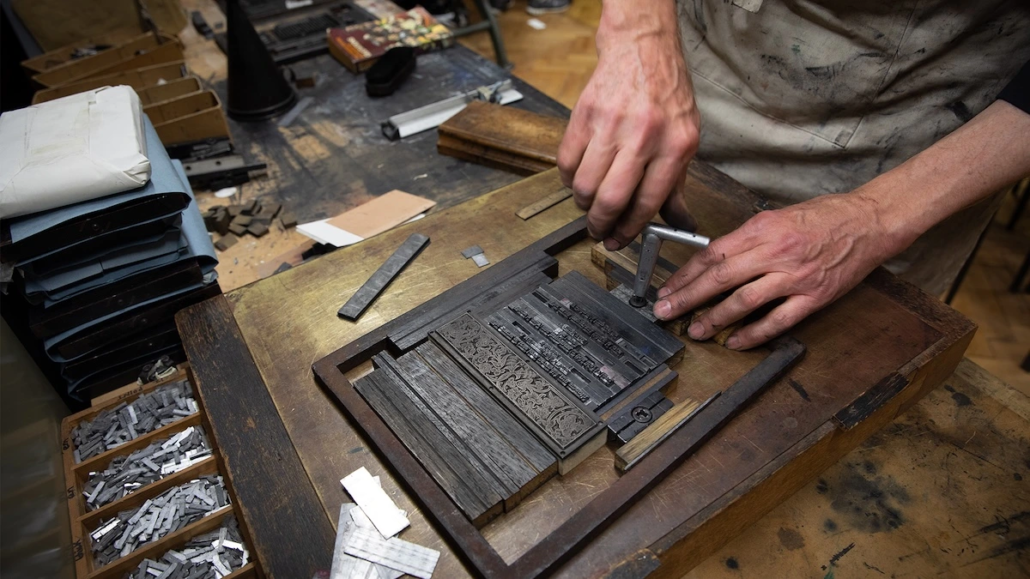
- Typesetting machines: Looking for some copy for your design? Back in the day, you couldn’t just choose a font from a dropdown menu. You had to order type from a typographer who would machine-set every letter and send it back in neat strips of text. Aligning and spacing them was a whole other challenge.
Each of these tools was an indispensable weapon in a graphic designer’s arsenal. But they haven’t totally disappeared. Each tool played a part in the evolution of graphic design, shaping the shortcuts, icons, and features we see in Photoshop today.
How Did Graphic Designers Work Before Photoshop?
And just like the tools above, many of the graphic design practices pre-1990 influenced the approaches we use today. Armed with these tools, graphic designers carried out their work almost completely by hand, using a mixture of chemistry, craftsmanship and clever problem-solving.
Let’s take a closer look at some of the key practices:
How Did Typography Work Before Photoshop?
Typography in the late 20th century meant working with phototypeset text. Designers would order lines of type from a typesetting house, which delivered them printed on glossy strips of photographic paper.
These strips were then cut with precision knives and pasted onto layout boards. If you wanted to change a headline font, you couldn’t just highlight and click, you reordered it and waited at least 24 hours.
The care designers took with spacing, kerning and alignment back then lives on today in the typography tools we use on screen. What once required patience, steady hands and a lot of time now happens instantly with digital type controls.
What Was Paste-Up in Graphic Design?
In the days before Photoshop, “cut and paste” wasn’t a keyboard shortcut, it was serious work. Once you had your photos, illustrations and strips of typeset text, the real work began on the paste-up table.
Armed with an X-acto knife or scalpel, designers would trim each element with painstaking precision, often using non-repro blue pencils to mark crop lines that wouldn’t show up on camera film. The pieces were then positioned on layout boards, perfectly aligned using T-squares and rulers, and then pasted on with rubber cement or wax.
If something wasn’t quite right, you’d carefully peel it, lift it, and reposition it, hoping the paper wouldn’t tear or warp.
Acetate sheets were often used to create transparent overlays, stencils and to protect artwork. Their transparency and durability made them useful for visualizing and manipulating designs, adding clear layers to artwork, and acting as a surface for drawing or painting that could be transferred or corrected easily.
The “mechanical” (the final pasted-up board) was then photographed with a large stat camera to create printing plates. Every tiny slice and glue stroke had to be perfect, because once it went to film, there was no going back.
That act of slicing and shifting until the composition felt just right is exactly what we do today with drag-and-drop layouts.
Only now, we don’t risk slicing our thumbs in the process.
WATCH: The Lost Art of Paste-Up (Youtube)
How Did Designers Edit Photos Before Photoshop?
While today we clone, patch and heal with a few brushstrokes on a screen, photo manipulation was alive and well before Photoshop. Airbrushing was a fine art, used to soften skin, remove blemishes or add dramatic highlights.
Trickier edits tended to happen in the dark room, where designers retouched negatives directly with sharp pens, thin brushes, inks, chemicals and paint.
How Was Color Printing Done Before Photoshop?
Color printing was pricey back in the 70s and 80s, so proofs were often done in black and white. That’s because each color channel had to be prepared on separate film sheets and then carefully aligned on the printing press.
Designers also used overlays and halftone screens to simulate gradients or blend hues. A misaligned plate could throw off an entire print run.
Now, color palettes are limitless and instantly adjustable. But back then, choosing colors was a high-stakes decision, one that taught designers to use them with intention.
How Was Illustration Done by Hand in Graphic Design?
Even in an era of photography, many elements of a design were still drawn by hand. Logos, icons and decorative lettering were inked with technical pens. Airbrush illustration was especially popular for advertising, creating hyper-realistic effects.
While tablets and vector tools handle much of this today, the expectation that a designer could sketch or illustrate remained strong in the pre-digital studio.
Why Do Pre-Photoshop Design Principles Still Matter Today?
These pre-Photoshop practices are the bedrock of modern graphic design. Typography, paste-up boards, photo manipulation and the like demanded a lot of patience and precision.
These methods remind us that design has always been a deliberate process. Every choice carried weight because changes took real effort to make. That sense of intention is just as valuable now, even in an age of instant adjustments.
The DNA of Photoshop is visible in these old-school methods, proof that while the tools evolve, the principles of design remain timeless.
Want to be part of the evolution of graphic design? Check out our online Graphic Design degree.
Want to Be Part of the Evolution of Graphic Design?
The tools have changed, but the principles haven’t. The same eye for typography, composition, color, and craft that designers built by hand with T-squares and rubber cement is exactly what powers great design today — now with Photoshop and the rest of the modern toolkit at your fingertips. Learning those fundamentals is what turns software skills into real design talent.
At The L.A. Film School, our online Graphic Design degree teaches both the timeless principles and the industry-standard tools, so you can build a portfolio and a career from anywhere in the world.
Request Info to explore the program, or Apply Now and start creating the next chapter in design history.
FAQs: Graphic Design Before Photoshop
How did graphic designers work before Photoshop?
Before Photoshop, graphic design was a tactile, hands-on process of ink, paper, and acetate. Designers built every poster, album cover, and magazine spread by hand — setting type through a typesetting house, trimming elements with knives, gluing them onto layout boards, retouching photos with airbrushes, and preparing color on separate film sheets. It combined chemistry, craftsmanship, and clever problem-solving, with no undo button.
What tools did graphic designers use before Photoshop?
Essential pre-Photoshop tools included T-squares and rulers for precise lines and layouts, X-acto knives and scalpels for trimming images and type, rubber cement and wax for gluing elements onto layout boards, light tables for layering and aligning transparencies, airbrushes for retouching and shading, and typesetting machines that set each letter and delivered it in strips of text. Many of these directly inspired the icons and tools in Photoshop today.
What was paste-up in graphic design?
Paste-up was the manual process of assembling a design by hand before it went to print. Designers trimmed each photo, illustration, and strip of typeset text with an X-acto knife (often marking crop lines with non-repro blue pencil), aligned the pieces on a layout board using T-squares, and glued them down with rubber cement or wax. The finished board, called a “mechanical,” was then photographed to create printing plates.
How did designers edit or retouch photos before Photoshop?
Photo manipulation was alive and well before Photoshop, done by hand rather than by mouse. Airbrushing was a fine art used to soften skin, remove blemishes, and add dramatic highlights directly on prints. Trickier edits happened in the darkroom, where designers retouched negatives directly using sharp pens, thin brushes, inks, chemicals, and paint — the analog ancestors of the clone, patch, and healing tools.
How was color printing done before Photoshop?
Color printing in the 70s and 80s was expensive and high-stakes, so proofs were often done in black and white. Each color channel had to be prepared on a separate film sheet and then carefully aligned on the printing press. Designers used overlays and halftone screens to simulate gradients and blend hues, and a single misaligned plate could throw off an entire print run — which taught designers to choose color with real intention.
What was typography like before digital fonts?
Typography meant working with phototypeset text ordered from a typesetting house, which delivered lines of type printed on glossy strips of photographic paper. Those strips were cut with precision knives and pasted onto layout boards. Changing a headline font wasn’t a click — you reordered it and waited at least 24 hours. The care designers took with spacing, kerning, and alignment lives on in today’s digital type controls.
Why do pre-Photoshop design skills still matter today?
Because the tools evolve, but the principles are timeless. Pre-Photoshop methods demanded patience and precision, and because every change took real effort, each choice carried weight. That sense of intention — in typography, composition, and color — remains just as valuable in an age of instant adjustments. The DNA of Photoshop is visible in these old-school methods, which is why understanding them still makes for stronger designers.
